How to reserve your device with Rogers to speed up delivery?
We want to get your new device in your hands as soon as possible. And when a new flagship product is announced and officially available for Pre-Order on our store, a lot of people are going to place their orders. After all, who doesn’t want the latest and greatest tech in their hands? But, did you know that you can significantly accelerate the rate at which you will receive your new device? Below are instructions on how to reserve your device through Rogers. There are 7 simple steps and then you could get your new device, days before you would normally receive it.
Please Note: A $40 fee plus tax is required to place the reservation, but this amount will be fully refunded by Rogers once your device is fulfilled.
Steps
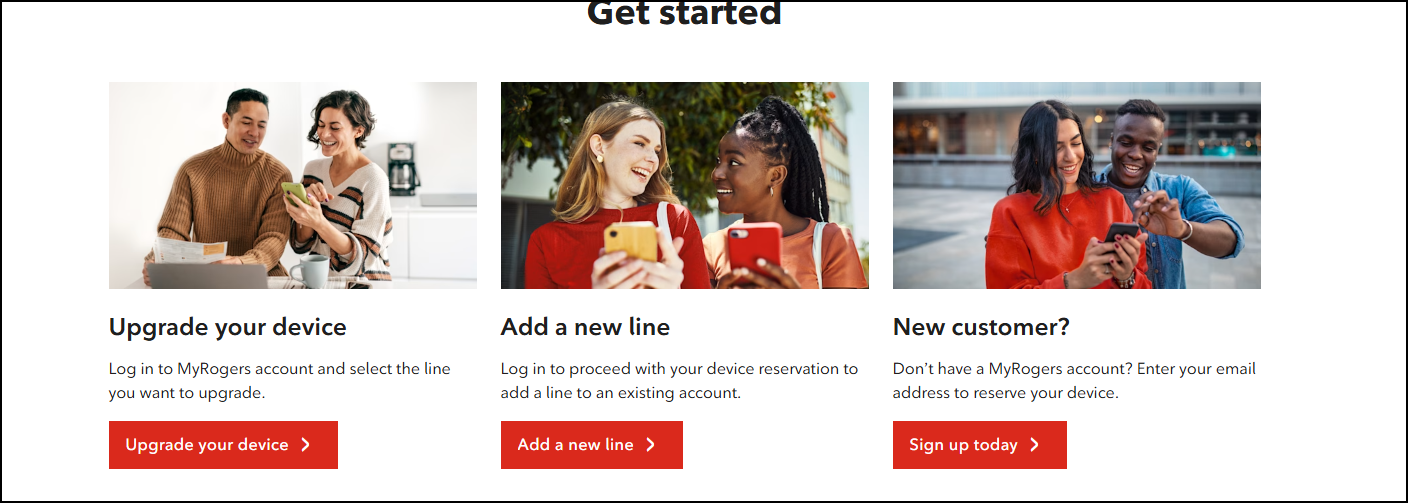
Visit www.rogers.com/mobility/reserve, scroll down to the "Get started" section, select either “Upgrade your device” or “Add a new line” and then sign in to your Rogers account.
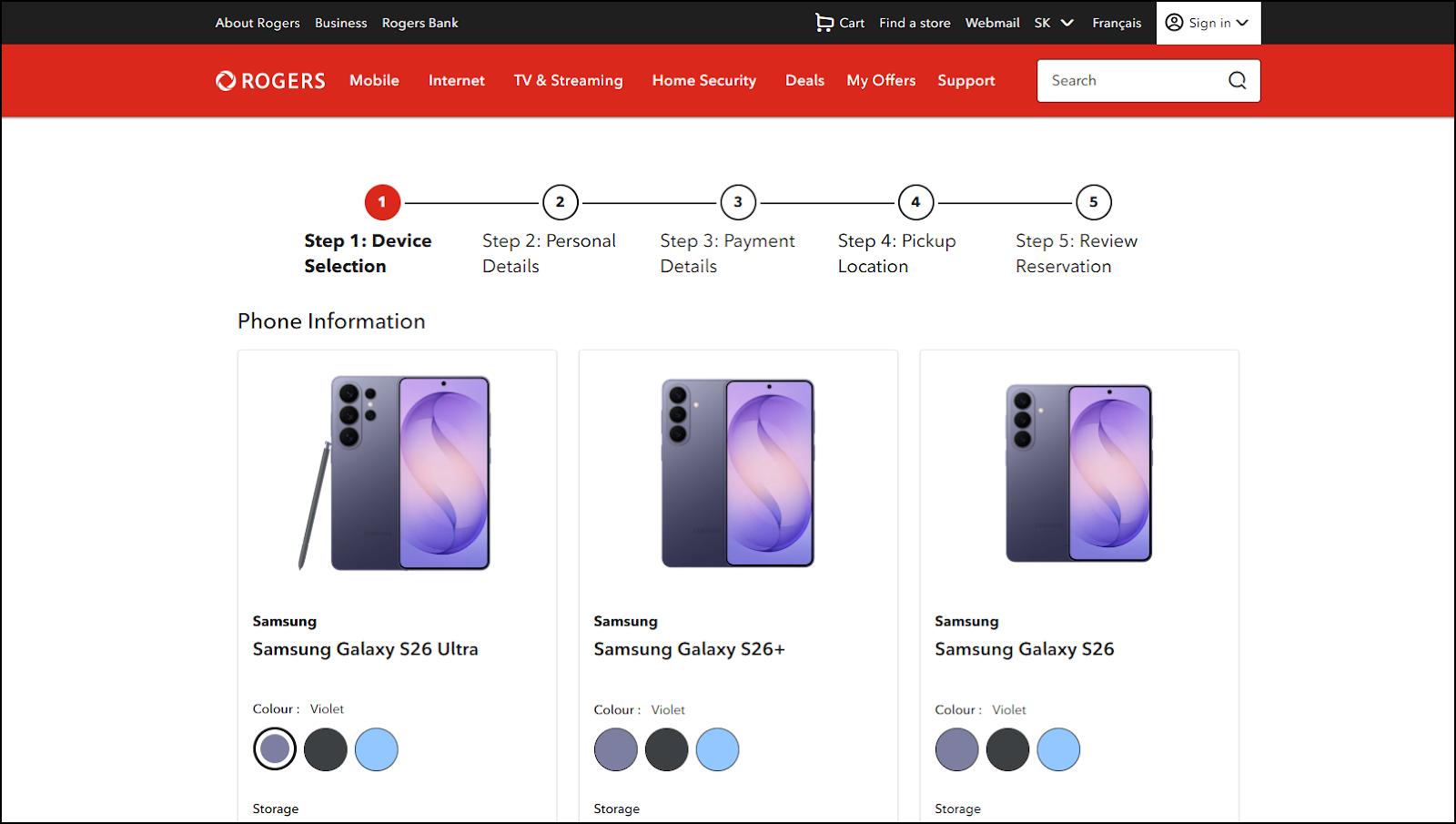
Select the device, colour and storage of your device using the drop down option in the device selection section.
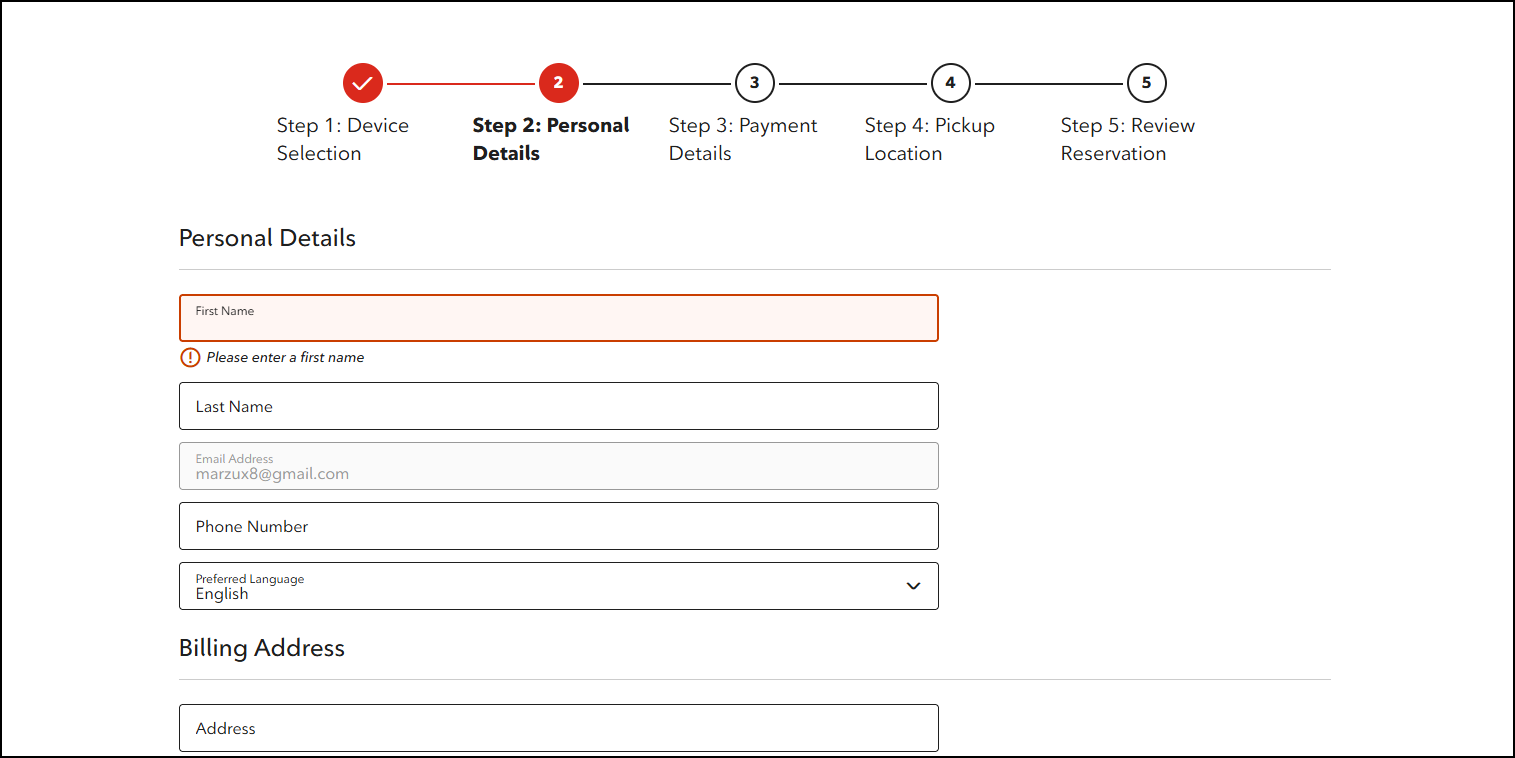
Enter personal details and select confirm.
Enter payment details and select continue.
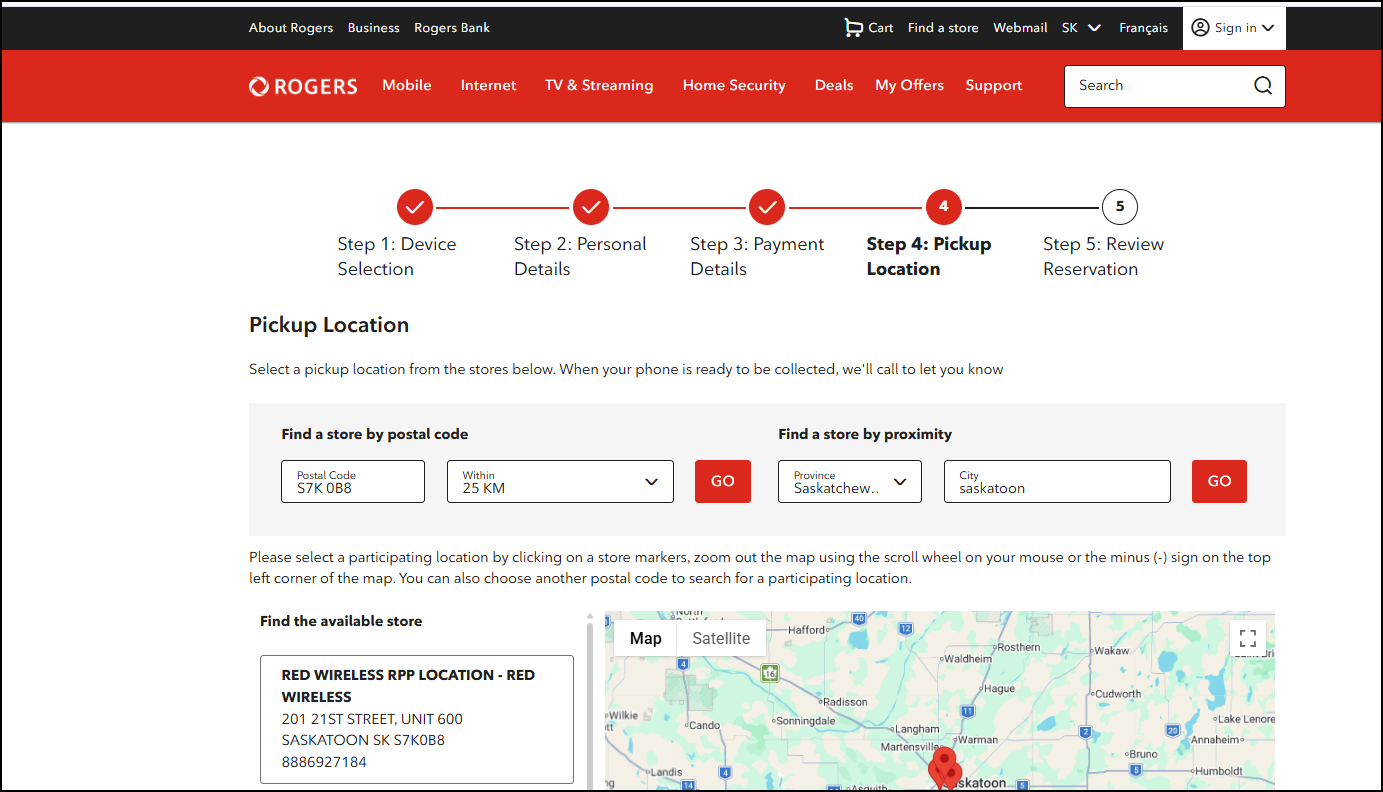
Select Pick up Location by searching for postal code S7K 0B8
RED WIRELESS RPP LOCATION - RED WIRELESS
201 21ST STREET, UNIT 600 SASKATOON SK S7K0B8
8886927184
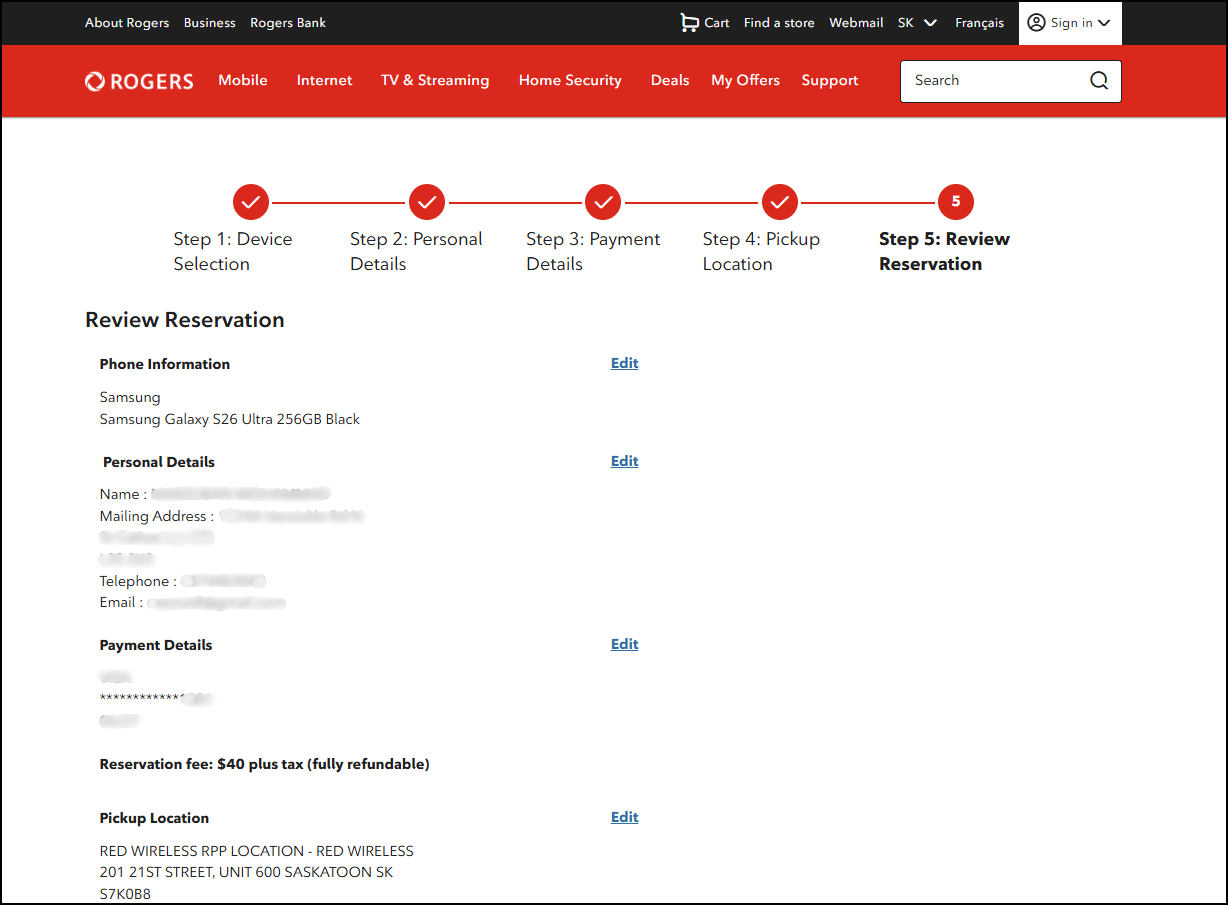
Review All Details with the Device, Address, and location. Then scroll down and accept the terms and conditions.
You’ll receive a confirmation via email. Screenshot this confirmation and send it to us via email at rpp@redwireless.ca.
Below are these steps along with some screenshots to help visualize
Step 1: Visit www.rogers.com/mobility/reserve, scroll down to the "Get started" section, select either “Upgrade your device” or “Add a new line” and then sign in to your Rogers account.
Step 2: Select the device, colour and storage of your device using the drop down option in the device selection section.
Step 3: Enter personal details and select confirm.
Step 4: Enter payment details and select continue.
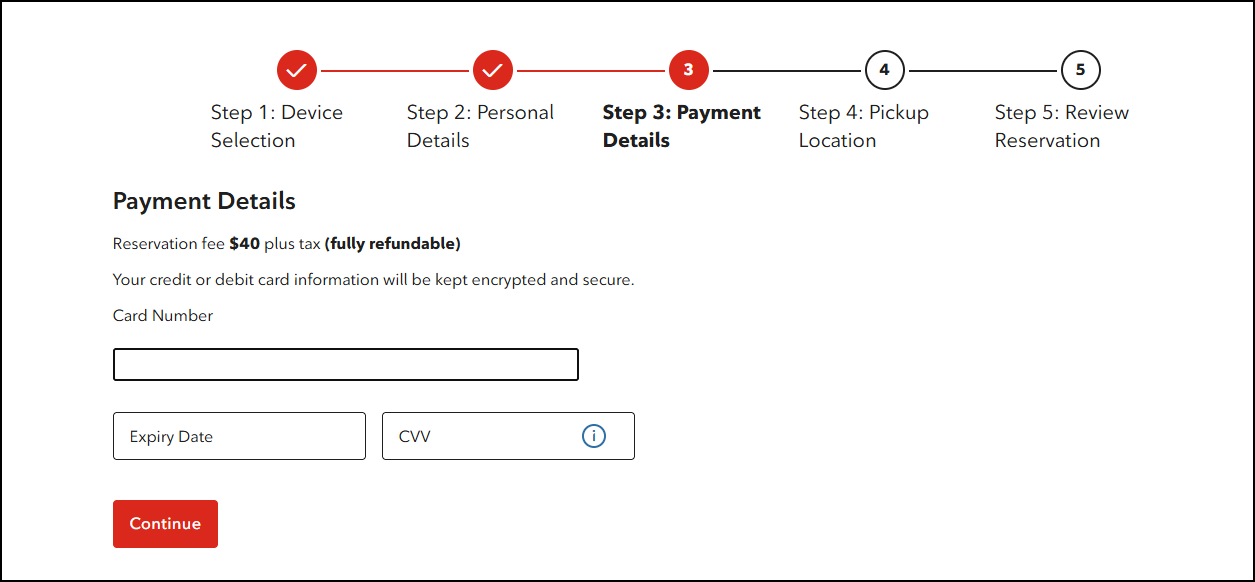
Step 5: Select Pick up Location by searching for postal code S7K 0B8
RED WIRELESS RPP LOCATION - RED WIRELESS
201 21ST STREET, UNIT 600 SASKATOON SK S7K0B8
8886927184
Step 6: Review All Details with the Device, Address, And location. Then scroll down and accept the terms and conditions.